
Spin Wheel For WooCommerce 2.0
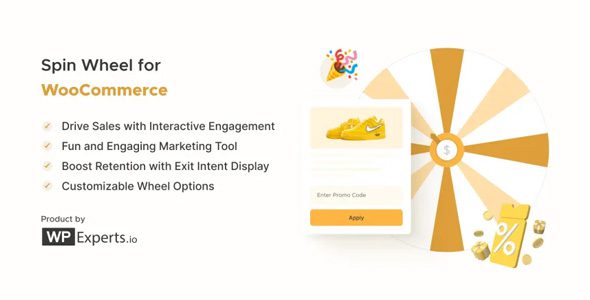
Spin Wheel for WooCommerce is a WooCommerce extension that helps you convert your visitors into customers by adding a “wheel of fortune” to your site. Use this marketing tool to retain customers and increase sales by offering discounts in a fun, engaging way.
- Clickable Button Icon: The admin can add an image to the spin wheel icon. This customizes the appearance of the spin wheel button on the website.
- Auto Add Coupon to Cart: Automatically applies the coupon won by the user to their cart. A popup alert notifies the user when this happens.
- Enable Cart Redirect: Automatically directs the user to the Cart page after they win a coupon from the spin wheel.
- Privacy Policy: Allows the admin to display a privacy policy link on the spin wheel. The admin can customize the link label and select the privacy page.
- Checkbox for Multiselection: Enables the admin to select multiple wheel slices simultaneously in the Slices sub-tab of the settings.
- Email Template: Lets the admin customize email templates for both winning and losing outcomes. The admin can enable email sending and personalize the content.
- Triggers: Various options to control when the spin wheel appears
- Pop-up window
The pop-up window with the Spin Wheel appears at the corner of the screen. Different events can trigger this pop-up. - Unlimited wheel slices
Add/remove wheel slices and decide what prizes you want to display inside each slice. - Fully customizable
The wheel is fully customizable – edit everything from the color of the wheel to the text message. - Instant preview
The admin can preview the changes applied to the wheel before taking it live. - Wheel analytics
View important analytical data of your wheel based on its usage — appearances, spins, discounts granted. - Target specific pages or post types
Display the Spin Wheel on specific pages and post types to increase sale conversions (add to cart page, thank you page, landing pages). - Select time duration for Spin Wheel display
Display the Spin Wheel for limited periods so that it turns on and off automatically. - Enable sound
Enable sound so that the visitors can enjoy the sound of the wheel spinning. - Enable snowfall animation
Give your Spin Wheel a different look by giving it a snowfall effect. - Set display to exit intent
Choose to show the Spin Wheel when customers are about to leave the website. - Set coupon duration
Set the duration of validity for the generated coupon with ease – it can set between hours or days - Set Explainer text
Set the introductory text visible to the visitor as the Spin Wheel opens in their browser or mobile view. - Set the winning title and text
Edit the text that will be displayed to the user after they win any coupon or link. - Hide the pop-up after successful spins
Select a delay time for the pop-up to reappear after a successful spin. - Trigger Spin Wheel for desktop & mobile devices
Set up separate Spin Wheel triggers for both devices. Choose what you want to display by selecting your preferred device. - Automated WooCommerce coupons
The wheel can auto-generate coupons for customers when they win and send it to them on their subscribed email. - Free downloads
You can link the wheel to free e-books (or any other PDF) as gifts for your customers. - Fully responsive
Spin Wheel for WooCommerce functionality is designed for all screen sizes and devices.