
Post Views Counter Pro 1.7.1
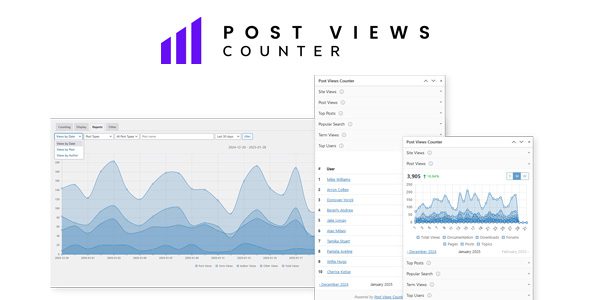
Post Views Counter Pro gives you clear, accurate post view stats — right inside WordPress. No external tools. No bloat. Just the numbers you need to see what’s working.
- Site Views
This includes views of all web pages, posts, archives, categories, tags, and any other content or elements on the site. - Post Views
See the number of times a specific post, page or custom post type has been viewed by visitors on your WordPress website. - Author Views
Author tracking allows you to see how many views each of your blog’s authors archive are receiving. - Taxonomy Views
Learn the views data for your content taxonomies to determine which categories or terms are the most engaging for your website visitors. - Other Views
Other views show you which of your additional WordPress pages like blog home, search or archives are the most popular. - Language Views
Break down views by visitor language to guide localization and content priorities. - Browser Views
Understand which browsers your readers use so you can tailor screenshots, FAQs, and on-site messaging to match what most visitors see. - Device Views
Understand your audience mix across desktop, mobile, tablet and other devices. - Operating System Views
See which operating systems your visitors use and tailor content and help links for Windows, macOS, iOS, Android, and Linux audiences. - Referrer Views
Identify top referring domains and sources sending traffic—organic, social, direct, and more. - AMP Pages Support
Post Views Counter has been designed to work seamlessly with Google AMP-accelerated pages so you can enhance the mobile performance and user experience of a website. - Visits Count Editing
Post Views Counter gives website administrators or content creators opportunity to adjust view counts for various reasons, such as correcting inaccuracies or managing view data. - Editing Control
Allows you to control and limit who can edit or modify the view counts for posts or pages and helps you maintain the integrity and accuracy of view count data. - Excluding Visitors
Post Views Counter allows you to specify certain types of visitors or traffic sources that you want to exclude from being counted in the view statistics for your posts or pages. - Excluding IP Addresses
You are allowed to specify specific IP addresses that you want to exclude from view counts. - Customizable Count Interval
It allows you to set a specific time interval for counting views on your posts or pages and helps control how frequently views are counted for individual content items. - Strict Counts
This helps you prevent view counts from being artificially inflated by repeated visits from the same user or by frequent page reloads. - PHP Mode
Utilizes server-side code to track views that you can choose for its efficiency, reliability and compatibility with most hosting environments. - Javascript Mode
Gives you an option to use JavaScript, client-side scripting, so you can record view counts in a simple, fast and reliable way. - REST API Mode
REST API is a method you can use to count and track the number of views for posts and pages on a WordPress website through the WordPress REST API. - Fast AJAX Mode
Fast AJAX gives you an exceptionally efficient counter mode that requires minimal server resources and can be scalable and suitable for handling view counting on high-traffic websites. - 1st Party Data
The data you collect with Post Views Counter belongs to You because it is collected directly from visitors to your own website and you can directly control how it is processed, and used. - Anonymous Tracking
Post Views Views tracking of views relies on methods that help you stay compliant with GDPR, CCPA (US), PECR (UK), PIPEDA (Canada), and other privacy regulations. - Data Storage Options
You can have control over how the visits data is stored and accessed and decide between cookie and cookieless data storage, that is generally considered more privacy-friendly. - Object Cache Optimization
Helps you optimize the performance of view counting operations by storing and retrieving view count data in memory, reducing the reliance on database queries. - Data Management
You have the flexibility to define a specific time interval for automatically resetting or clearing the daily view count data for your posts or pages and keep your database lightweight. - REST API Support
The Post Views Counter plugin allows you to integrate it with any external services via REST API. - Post Views Widget
The Post Views dashboard widget offers you immediate access to your key statistics at the moment you log in to your WordPress admin. - Traffic Information Widget
A Traffic Information dashboard widget gives you a snapshot of your traffic by language, browser, device, OS, and referrer. - Post Views Column
Show a column displaying the number of views for each post or content item within your WordPress admin providing a quick and convenient way to track the popularity of your content. - Toolbar Chart
Get a quick overview of how your posts or pages are performing by displaying a simplified chart in the WordPress toolbar while browsing your website. - Dedicated Reports Page
Shows you stats that pinpoint which content receives the most visits, enabling you to make data-driven decisions and produce content that attracts greater traffic. - Customizable Date Range
Gives you the ability to run each of our reports in the last 30 day views, as well as weekly, monthly, quarterly and yearly views or any custom date range you need. - Views by Date Report
The Views by Date report gives you an idea of your site’s traffic over a specific time period, broken down by date and different types of content. - Views by Post Report
The Views by Post report allows you to learn about the posts that attract the most traffic to your site, with the ability to narrow down to a specific post type and time period. - Views by Author Report
The Views by Author report is a unique type of report that allows you to find out which authors on your site generate the most traffic, with an optional breakdown by user role. - Export to CSV
A CSV export feature allows you to download your website views data in a widely used Comma-Separated Values (CSV) file format. - Export to XML
Easily take your reports with you or share them with clients or colleagues by utilizing our custom XML file export feature.