
Advanced Google Maps Plugin for WordPress 6.0.4
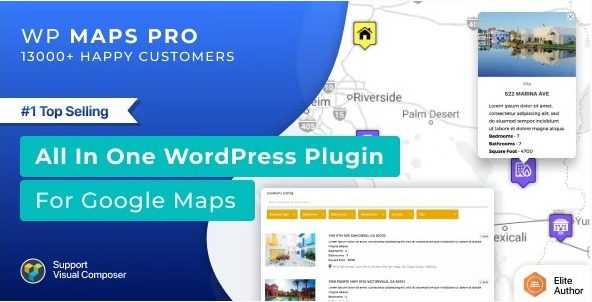
Demo WP Maps Pro CodeCanyon 5211638
- Filter locations by custom fields, taxonomies & location data easily.
- Display posts, pages or custom posts type on google maps.
- Assign location to your post easily using meta box or your own custom fields.
- Display posts information e.g title, content, excerpt, featured image, categories, tags, custom fields or custom taxonomies in infowindow.
- Display posts listing below the map and show posts information in the listing.
- Display posts or locations below map in grid or list format.
- Placeholders to modify location listing data without any programming.
- Enable or disable search form, category filter, print option, sorting options in the backend.
- Listing module is pagination supported.
- Ask start location and end location from visitor to show route directions.
- Visitor can get route directions in both miles and kilometre.
- Display start location input as textbox or select box filled with your locations.
- Display end location input as textbox or select box filled with your locations.
- Ability to display default Start and End location in directions tab.
- Get nearby places within certain radius using google places api.
- Display Circle around amenities found using google places api.
- Enable marker clusters if you have too many locations
- You can apply marker clustering on both posts and locations.
- Choose marker cluster icons and mouseover icons to improve user experience.
- Choose marker cluster grid size and max zoom level.
- Create routes in the backend and display them on front-end.
- Customize Stroke Color, Stroke Opacity, Stroke Weight, Travel Modes, Unit Systems, Start Location, End Location and way points to create a route.
- Make route draggable and optimize waypoints to suggest the best possible route.
- Assign waypoints to the route.
- Admin can draw any number of circles, rectangles, polygons or polylines and display them on google maps. Shapes are clickable.
- Display an infowindow on click on a shape.
- Redirect to a location on click on a shape.
- Delete individual shapes or modify property of the shape by selecting on click.
- Draw any number of shapes on the map and save all of them together.
- Use your own coordinates to draw shapes.
- Apply awesome Google Maps styles from snazzymaps.com with a simple copy and paste.
- Apply Bounce Animation on marker click or mouse over.
- Apply Drop Animation on marker when they display on google maps.
- Change zoom level of the map on marker click for better visibility.
- Display multiple KML/KMZ Layers on the map.
- Display large number of data on the map using fusions table.
- Display real time traffic conditions and overlays using Traffic Layers.
- Add bicycle path information to your maps using the Bicycling Layer.
- Display physical maps based on terrain information.
- Ability to display multiple layers together on the map.
- Set height, width, zoom level, map type, enable/disable scrolling wheel, draggable property and apply 45° imagery.
- Maps are fully responsive and adjust automatically according to device.
- (Optional) Assign center latitude and longitude to the map.
- Center the map based on visitor’s current location.
- Display a circle around the center location to highlight center location.
- Assign multiple locations to the map using searchable listings.
- Hide markers on page load and display them after filtration only.
- Display street view of the location.
- Display overlays and customize border color, overlay width, overlay height, font size, border width and border style.
- Easiest way to limit panning/dragging so the map stays within certain bounds using limit panning settings.
- Display GEOJSON data using URL easily.
- Display maps in a blend of normal and satellite views.
- Display Google Maps in sidebars using widget. You can display any number of maps in the sidebar.
- Display categories, directions, routes, and nearby tabs together on a google maps.
- Display location counts with category name.
- Keep backup of locations, routes, maps and categories.
- You can assign permissions to your users to manage your location, categories, routes and maps.
- Ability to use External Database or Sources to add markers on Google Maps using new filter wpgmp_marker_source.
- Add multiple Google maps on a page. Each map will have own properties.
- A cross browser compatible plugin.
- Multilingual Supported using .po files.
- Multisite Enabled and ability to activate it network wide.